Digging Up Extra System Preferences
Upon opening our System Preferences, straight away we know that there are some basic customizations can be performed to our Mac. But of course, this is the very general knowledge that even Tom and Dick know about it.
However, there are still some Preferences Panes created by developers yet buried down somewhere, probably they're not as popular as Secrets introduced by developer of Quicksilver but worth mentioned.
Archives Preferences Pane
In either compressing or decompressing files, by default we have no other choices but to make new expanded/archived file in the same directory. Even worse, we can't straight away delete the original file(s).
Using Archives Preferences Pane, that allows us to customize our archiving process, will save us from all of those troubles.
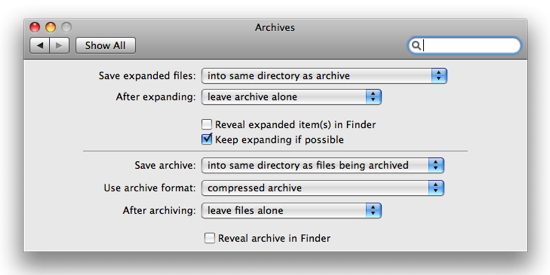
Shown Above. Archives Preferences Pane
- Open Finder
- Go to Macintosh HD → System → Library → CoreServices
- Control-click on Archive Utility and choose Show Package Contents
- Dig inside Contents → Resources
- Open Archive.prefPane and confirm installation
Disk Images Preferences Pane
Same as other preferences pane, with this extra Disk Images Preferences Pane you can have extended customization for handling Disk Images.
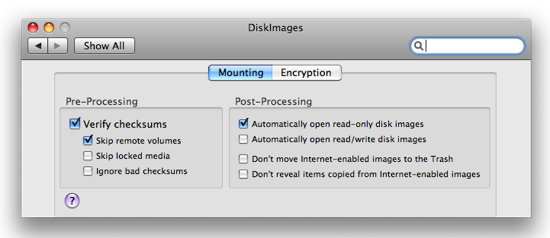
Shown Above. Disk Images Preferences Pane
- Open Finder
- Go inside Macintosh HD → System → Library → Private Frameworks → DiskImages.framework → Versions → A → Resources
- Find DiskImages.prefPane, open and confirm installation
Now you've got several extra preferences panes. Cheers!