How To Support Internet Explorer
Everyone has been going on about how we should use CSS3 more and all of the possibilities and flexibility that come with it, but that we should still consider IE6 and other troubling browsers. But how do we actually do that? How do we create websites that are up to date with the latest coding techniques but that are also usable for people experiencing the Web on Internet Explorer?
The Content Is What Matters
Jeffrey Zeldman once said, “content precedes design. Design in the absence of content is not design; it’s decoration.” In fact, the most important thing on your website is the content. This is what everyone should be able to get, no matter which browser they’re using.
Using CSS3 doesn’t mean we should forget about older browsers and lock visitors out of our websites. We should check our websites on browsers as old as maybe IE5 or 5.5 and make sure the content is accessible for every user.
This doesn’t mean we should quit the fight to eradicate IE6 either. We can still follow the example of websites such as Twitter and YouTube and add visible but not dead-end warnings to upgrade.

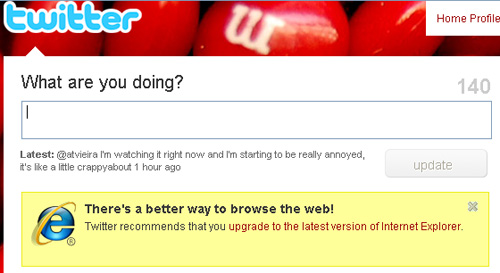
YouTube and Twitter warning messages for IE6 users
And remember: each profession has the duty to educate those who are not familiar with their trade. We must explain how stuff works to our clients without being patronizing. It’s not their job to know this after all.
Basics First: The Three Layers (HTML, CSS and JavaScript)
When we create a new website, we do it in steps. First, the HTML. We will mark up our content in the most semantic way possible: titles should be marked up as headings, lists as lists, etc. The bottom line is that our content should be perfectly readable and its hierarchy understandable with only this part of the coding done. The content has to make sense, and we must never forget that this layer is the foundation on which we will develop all the rest.
Secondly, we add the style, the CSS. In this step, we add the visual elements to our design; we give the website its personality. We also make sure that the content is accessible without the third layer.
And finally, the third layer, the JavaScript, the behavior. Here we add the interactive elements to our website. We make the experience richer using things such as tabs, sliders, lightboxes, etc.
With this path in mind, our content will always be accessible in any browser. We make sure that older browsers get only the basic content and disregard more complex layers that could hamper their users’ access to it.
Adding Basic Style For Old Browsers
So our semantic markup is done, and we know that some browsers cannot render CSS properly or at all, such as browsers before Netscape 4.0 or Internet Explorer 4.0. For those browsers, displaying the bare content—the naked version—is the safest choice.
Some people say that, today, there is no need to do this. But if you’d like to make sure that these people on these browsers don’t run into any problems, just link to a basic version of your CSS with the link tag and then to the more advanced file with the @import declaration:
<link rel="stylesheet" type="text/css" href="basic.css" media="screen" />
<style type="text/css">
	@import "advanced.css";
</style>
You can also skip the link tag altogether and leave them with a text-only version of the website:
<style type="text/css">
	@import "style.css";
</style>
Embracing The Differences
Now let’s deal with the black sheep of commonly used browsers: Internet Explorer 6.
You’ve got two options:
- If only a negligible percentage of your audience is browsing the Web with it and you don’t want to throw your client’s money down the drain, you could create a basic style sheet for IE6.
- Acknowledge that your design will not look the same in IE6, and make decisions on what to leave out: which IE6 quirks will you fix and which will you leave be.
If you choose to feed IE6 a basic style sheet, the best course is to use the Universal IE6 CSS. Your website will have virtually no design, but this style sheet makes sure that the body has a readable width, that heading sizes are reasonable and that the content has some nice white space surrounding it.
In your HTML, you will have to add some conditional comments to link to the style sheet and to hide the other sheets from IE6:
<link rel="stylesheet" type="text/css" href="styles.css" media="screen" />
In the first conditional comment, we link our main style sheet to all browsers that are not IE6 (hence the “!”). And in the second comment, we link directly to the Universal IE6 style sheet on Google’s repository (and save some bandwidth at that!).
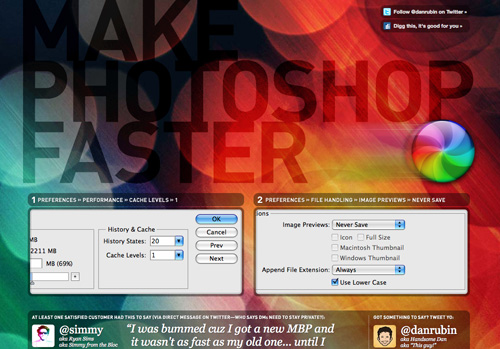
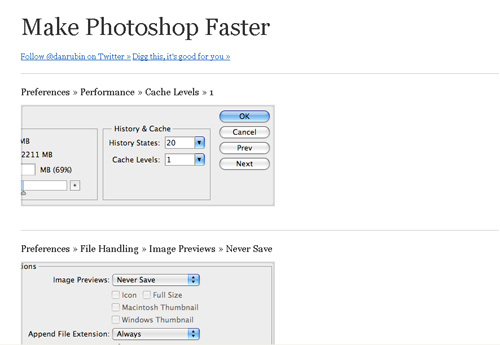
The Make Photoshop Faster website uses the Universal style sheet for IE6
If you prefer the second route, you must be prepared to embrace the differences between browser renderings. Know that some details of your design will not be visible or render as nicely in IE6, or even IE7 and 8. And don’t be upset about it.
Resets
As you know, all browsers have different default styles for the various HTML elements. This is why using a reset style sheet is wise, so that we can start with a clean slate.
Plenty of style sheets are around on the Internet for anyone’s benefit. The one that is usually considered the standard and most often implemented is Eric Meyer’s reset, or some variation of it.
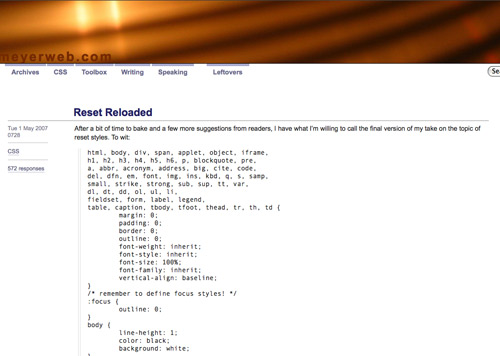
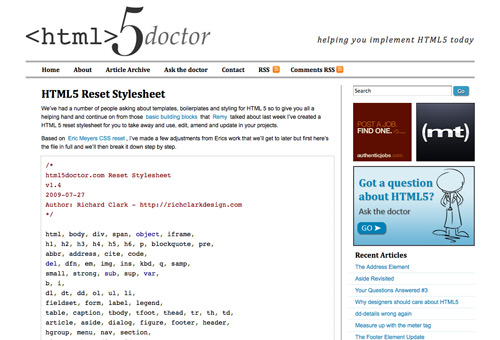
With the advent of HTML5, including the new HTML elements in your CSS reset is also a good idea. html5doctor provides a good update to Eric Meyer’s reset that you can use for free in your projects.
You can use a CSS reset either by embedding it at the top of your own CSS file, or, if you like to keep things tidy, by importing it from your style sheet:
@import url(reset.css);