How To Support Internet Explorer
Everyone has been going on about how we should use CSS3 more and all of the possibilities and flexibility that come with it, but that we should still consider IE6 and other troubling browsers. But how do we actually do that? How do we create websites that are up to date with the latest coding techniques but that are also usable for people experiencing the Web on Internet Explorer?
CSS Differences That Could Break Your Layout
If you decide to use the Universal IE6 CSS, you’ve just saved yourself many a headache. But don’t let the shiny logos of IE7 and 8 fool you: if you intend to use the latest CSS techniques, you still have to do a lot to cater to them.
IE6 and PNG support
We all know that PNG images with alpha-channel transparency (i.e. the good-looking ones) don’t play nice on IE6. We’ve all seen that annoying light-blue background on our carefully crafted logos.
You can choose from among a few workarounds to this problem so that IE6 can display PNGs. Each is fairly quick to implement and does make a difference in the overall design.
Here are a few of the best scripts and techniques for dealing with this issue:
- DD_belatedPNG
- Supersleight jQuery Plugin
- PNG 8-bit technique (Fireworks)
- Clever PNG Optimization Techniques
- PNG Optimization Guide: More Clever Techniques
That said, we should mention that more and more Web designers nowadays opt not to fix the PNG issue on IE6:
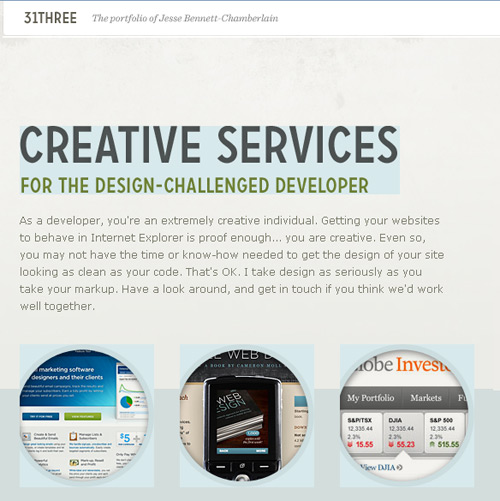
The newly revamped 31three website doesn’t apply any fix for PNGs in IE6.
Advanced Selectors
These selectors are almost the definition of smooth CSS development by themselves, because they hold the true power of CSS and can make our lives as developers so much easier (and our budgets so much lower!).
The decision of whether to make them work on Internet Explorer or not depends largely on what you are using them for.
For example, if you are using them to add extra detail to your designs, such as small icons to represent different file types, it won’t make a lot of difference if the icons don’t display on some browsers. Visitors to your website won’t know what they are missing, and the links will still be perfectly usable.
These selectors are also widely used to enhance typographic detail, and lack of support for them won’t be a big issue for your designs.
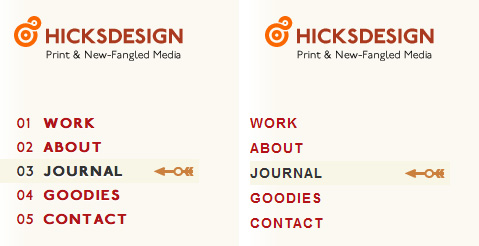
Hicksdesign uses advanced selectors for numbered bullets in its navigation menu, and they simply aren’t visible for IE6 users
Which browsers don’t support this? Internet Explorer 6 will not see styles applied with virtually any advanced selector. It only really understands simple descendant combinators and classes and ID selectors. It even struggles with multiple classes applied to the same element! It’s not to be trusted.
IE7 ignores the :lang selector and pseudo-elements, such as :first-line, :first-letter, :before and :after. But it does understand all attribute selectors.
Also, none of the Internet Explorer releases to date supports the :target pseudo-class, UI element states pseudo-classes (:enabled, :disabled, etc.), structural pseudo-classes (like :nth-child, :nth-of-type or :first-child) or the negation pseudo-element.
Box-Sizing
Box-sizing allows you to tell the browser how you want it to calculate the width and height of an element.
For example, if you set the box-sizing property to border-box, then the paddings and borders will be subtracted from the specified width and height of that element, instead of added to them (as stated in the W3C’s specifications for the standard box model).
This can make it easier to control the size of elements and to make sizes behave the same across different browsers.
If you believe that your website renders in IE in quirks mode (and therefore renders with the non-standard box model), you may want to use this property in your style sheets to make all browsers uniform.
Make sure to add the standard property and the vendor-specific ones:
div {
	-moz-box-sizing: border-box;
	-webkit-box-sizing: border-box;
	box-sizing: border-box;
}
Which browsers don’t support this? If the website is rendered in quirks mode, IE6 will render using the non-standard box model, so it will already be rendering as if it had the “border-box” property on. You can force IE6 to render in quirks mode. There are a few ways of doing this; one way is by adding an HTML comment before the doctype declaration of your HTML pages.
Media Queries
Media queries aren’t fully supported by most browsers, and Internet Explorer doesn’t support them at all.
However, because they are mostly used to call variations of style sheets for handheld devices, such as the iPhone, this fact is almost irrelevant in that case.
If you use media queries mainly to cater to the iPhone, the fact that they are not supported by other browsers makes no difference anyway, and their use is highly encouraged.
If you are using them to create a more flexible website design that adapts to changes in, say, window size, then know that only Safari, Firefox and Opera support them (partially).
Which browsers don’t support this? Internet Explorer and, in some instances, Safari and Firefox.
CSS Differences That Are Mainly Decorative
These are the issues that are best left alone for non-supporting browsers, because the lack of support won’t be a problem for users who want to access your content (i.e. your pages won’t break).
This has to do mainly with some of the new CSS3 properties, such as border-radius, text-shadow and border-image.
Border-radius
This is the first CSS3 property that designers learned to live without on Internet Explorer, because of its clearly decorative nature. With border-radius, you are better off not trying to replicate it on IE at all. Just let it be.


Gowalla uses border-radius on its website, but Internet Explorer users don’t see it.
Which browsers don’t support this? All Internet Explorer browsers. Opera, too.
Font-face
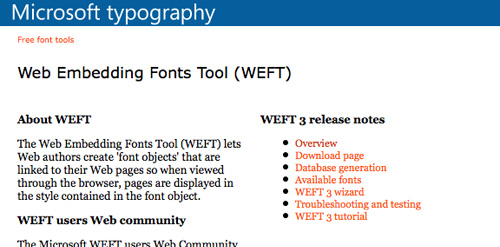
Font-face can be used with IE, but you may need to use Microsoft’s Web Embedding Fonts tool to convert your fonts to EOT.
If you are including both font formats in your website, your CSS will probably follow this structure:
@font-face {
	  font-family: "Delicious";
	  src: url("Delicious-Roman.eot");
	  src: local("Delicious"), url("Delicious-Roman.otf") format("opentype");
}
Usually, a browser not being able to render the first font in a font stack shouldn’t break the website or hamper in any way the user’s access to the content. So, the recommendation here is to carefully ponder which fonts you want the visitor to see if their browser doesn’t support font-face and has to rely on the fonts you have declared in the style sheet.
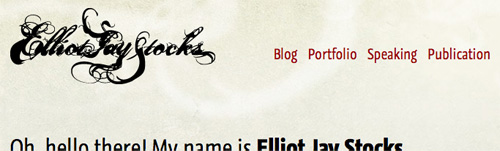
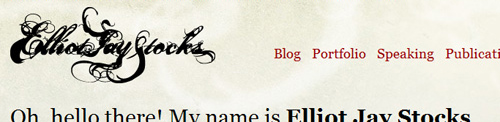
A browser that doesn’t support font-face simplys show the next available font in the font stack
Which browsers don’t support this? If you use the EOT version for IE, even IE users will see the correct fonts.
Multiple Columns
Rather than create multiple floating DIVs to organize your text into columns, you can create columns automatically by using the multiple column properties in CSS3. But this means that some browsers won’t see them.
Multiple columns are better used for text, not layout. If you use them on your website, the worst thing that will happen is that visitors see a wider line of text.
If you’re dealing only with short text, than why not go ahead and use it and finish the job in two minutes? But if it would seriously impair the readability of your content, then your best option is to stick to the regular DIVs to create columns.
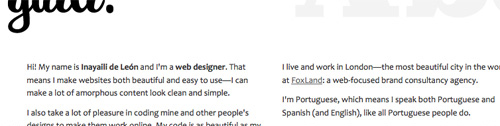
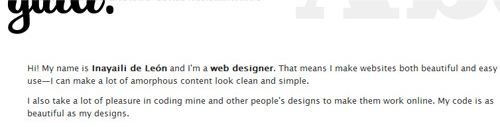
Here, the introductory text is displayed using CSS multiple columns. IE users will see normal single-column text.
Which browsers don’t support this? Internet Explorer and Opera.
RGBa and Opacity
RGBa colors are bliss. Rather than use hard-to-update PNG files for backgrounds, you can create the same transparency effect with CSS. But IE doesn’t get it. IE6 doesn’t even understand the PNGs to begin with.
It’s safe to assume that these transparencies won’t usually be applied to elements that cover important content; in which case, the content shouldn’t be behind another element in the first place.
So, when using RGBa colors, make sure to include a normal color before the RBGa one, so that browsers that don’t understand it will still have a fallback color:
div {
	background-color:  #FFFFFF;
	background-color: rgba(255,255,255,.5);
}
Opacity can be applied to IE using the opacity filter, but IE filters work only on elements that have layout:
div {
	filter: alpha(opacity = 50);
}
Also, remember that opacity works differently than RGBa colors: all of the elements enclosed in this DIV will be rendered transparent.
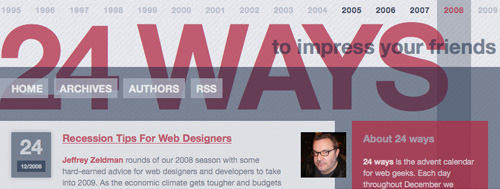
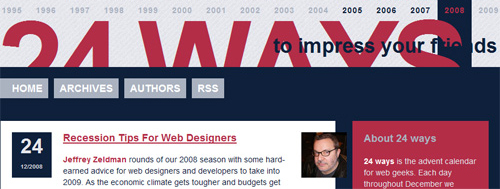
24ways uses RGBa colors and alpha transparency heavily, even though Internet Explorer doesn’t render the transparency.
Which browsers don’t support this? Every browser sees opacity, provided that filters are applied. IE doesn’t see RGBa colors.
Text-shadow
This is an easy call: ignore it. Assuming that the text is still readable, trying to recreate text-shadow any other way than with CSS is a Herculean task. So, unless missing text-shadow would seriously reduce the clarity of a large amount of text, or a small amount (in which case you could use image replacement), you’re better off without it.


The white text-shadow on Brokers Direct’s website is not visible on Internet Explorer.
Which browsers don’t support this? Internet Explorer.
Border-image
The border-image property gives us an easy way to add beautiful borders to our elements that would otherwise be a nightmare to implement (and that in most instances we would probably choose not to implement).
Because the property is almost always decorative, the best option would be to include a fallback for browsers that don’t support it using the normal border property, and adding the enhanced CSS after it for other browsers.
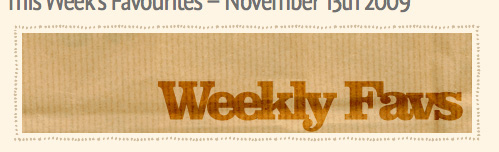
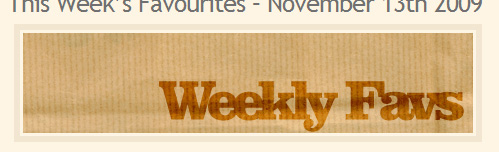
SpoonGraphics uses border-image, but it is not visible in Internet Explorer.
Which browsers don’t support this? Answering the opposite question is easier: for now, only Safari and Firefox support this feature.
Multiple Backgrounds
This feature depends on the design of your website, but in a lot of cases, the lack of a second or even third background will not affect the readability of the page.
Multiple backgrounds in CSS saves us a lot of the development headaches that were caused by having to use different HTML hooks and nested elements to achieve the same effect. So, if you opt to use multiple backgrounds, you are already choosing which browsers to display the results to.
If all users seeing all of the backgrounds is important to you, then do it the old way and apply different backgrounds to different elements.
If not, your best bet is to give a fallback to browsers that don’t support it: pick the background that you feel is most important or that best fits the overall design and add that property before the multiple backgrounds one. Browsers that don’t support it will ignore the second property.
Which browsers don’t support this? Internet Explorer, Opera and Firefox up until version 3.5 (version 3.6 is currently in beta, but it supports multiple backgrounds!).